For students
Scan handouts and notes, search every word before the final
Scan handouts, lecture notes and worksheets on iPhone. ScanWow reads the text on your device, so when finals come you type a term and find the page.
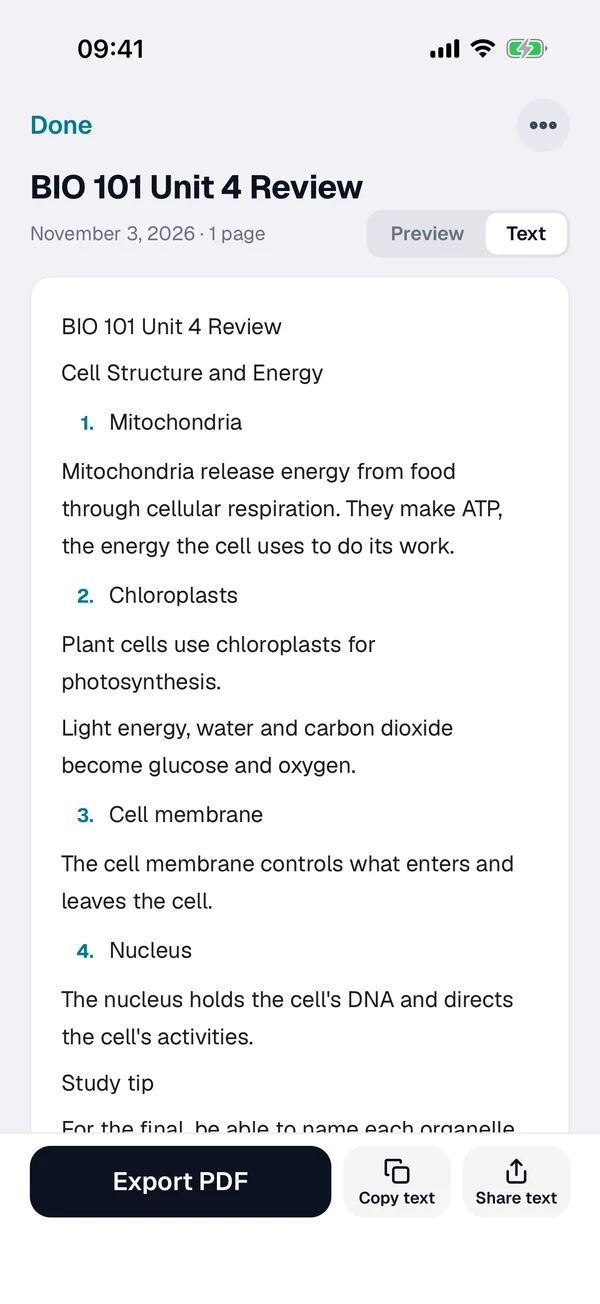
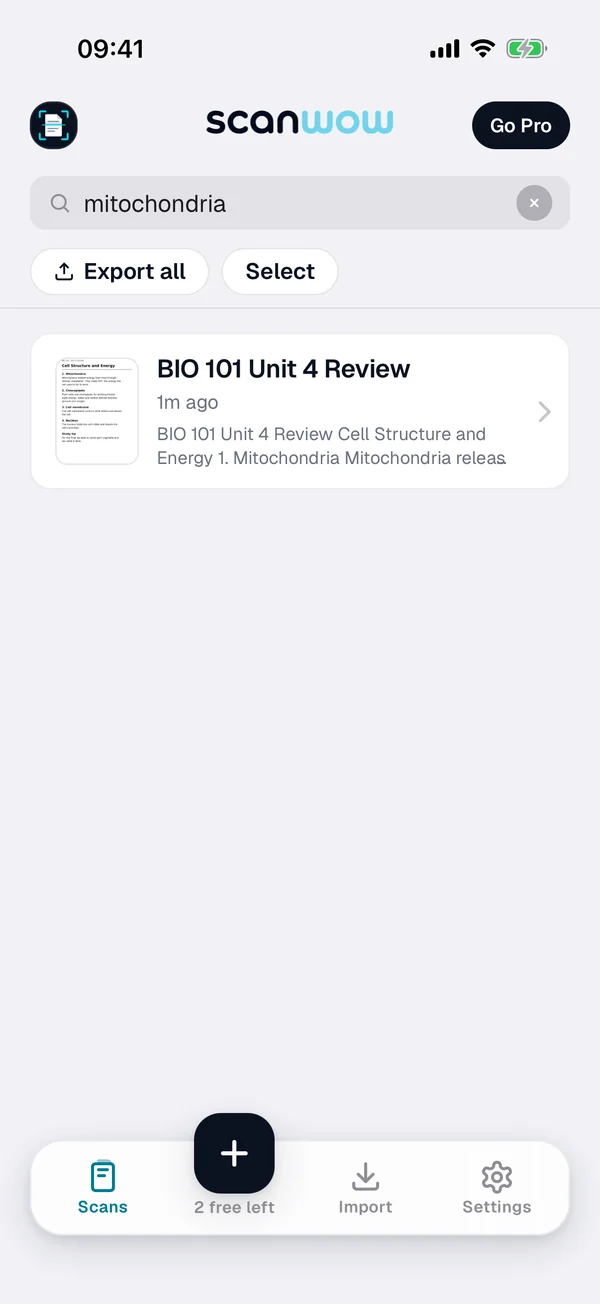
Before the final
- Scan lecture notes, handouts and whiteboard summaries after class, so nothing piles up before finals.
- Keep one document per class or week.
- Search a term across all your scans to find the exact page.
- Neat handwriting is read too (results vary). Printed handouts read the most reliably.
- Import handout PDFs or assignment photos from Files and Photos. Up to 20 pages of each PDF come in.
- Export a searchable PDF (from version 3.0.5) to share with a study group.
- Turn on Automatic iCloud Backup (Pro) to keep your notes in your own iCloud.
Teacher workflow
- Scan completed forms and parent signatures.
- Digitize annotated worksheets for record keeping.
- Share PDFs with colleagues or students in minutes.
Free to try, then a one-time Pro
Download is free and your first 3 documents are free. Text recognition, search and searchable PDF export are included for everyone. ScanWow Pro is $4.99 once in the US (the App Store shows your local price) for unlimited scans and Automatic iCloud Backup. No monthly fee. See full pricing.
FAQ
Can students use ScanWow for class notes and handouts?
Yes. Scan lecture notes, homework pages and printed handouts into PDFs, one document per class or week, then search them when it is time to review.
Can it read my handwriting?
ScanWow reads neat handwriting too, and results vary. Clear block letters read best. Cursive and fast writing are harder, and good light helps. Printed handouts read the most reliably.
How does search help before a final?
ScanWow reads the text on your device after each scan. Type a term in search and ScanWow finds it across all your scans, so you can jump to the page instead of flipping through a notebook.
Can I share my notes with a study group?
Yes. Export a PDF and share it from the iOS share sheet. From version 3.0.5, every page with recognized text gets an invisible text layer, so the PDF is searchable too.
Can teachers scan graded work quickly?
Yes. Scan graded pages, signed forms and annotated worksheets, then export PDFs to keep records or share with staff.
Is it free?
ScanWow is free to download, and your first 3 documents are free. Text recognition, search and searchable PDF export are included for everyone. ScanWow Pro is an optional one-time $4.99 in the US for unlimited scans and Automatic iCloud Backup. There is no subscription.
Get your notes searchable before finals
Free to download. 3 documents free. Pro is $4.99 once. No subscription.
Download ScanWow Free